
"A Story of Calm, Clarity, and Quiet Intelligence"
Introduction:
Let me take you back a few years. Design felt loud. It was a visual arms race. Bigger gradients, louder animations, more features, more movement, more everything. It was exciting, experimental, and honestly, sometimes overwhelming. We were showing off what technology could do. But as we step into 2026, something profound has shifted.
Design is no longer about showing what can be done. It’s about deciding what should be done.
Think about your own digital life. In 2026, users are more aware, more distracted, and more selective than ever. They don’t want to be impressed; they want to be understood. They expect products to feel intuitive, respectful of their time, and quietly intelligent. It’s a shift from spectacle to substance, from noise to signal. And that expectation is reshaping the very soul of UI and UX.
This isn’t a list of flashy ideas. Consider this a forward-looking reflection. A story about where design is heading in 2026. It’s a story grounded in real-world product needs, evolving human behavior, and the growing, profound responsibility we carry as designers.
Why Design in 2026 Feels Fundamentally Different: The Great Maturation
2026 isn’t about discovering new tools. It’s about maturity. We’ve passed the phase of novelty. Now, we’re in the era of integration and intention.
- AI has moved from novelty to infrastructure. It’s the electricity, not the lightbulb.
- Users are experiencing deep digital fatigue. Their patience for friction is zero.
- Trust, clarity, and performance now matter more than aesthetics alone.
- Design is shifting from screens to ecosystems. We’re designing for a flow of experiences across devices, contexts, and moments.
Great design in 2026 feels calm, predictable, and supportive. The best interfaces don’t shout for attention. They earn trust through quiet competence.
1. AI-Generated & Generative Design: The Invisible Partner
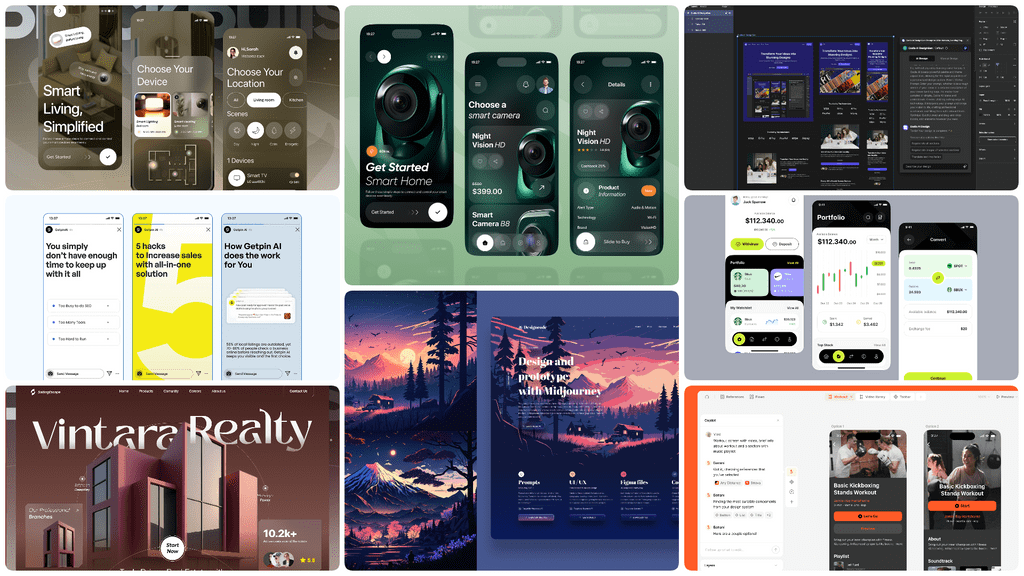
Here’s the plot twist for 2026: AI is no longer the headline. The "wow" factor is gone. Instead, AI has become the embedded, contextual, and expected partner. The new challenge? Designing with AI responsibly.
The narrative is no longer "Look what our AI can do!" It’s "Here’s how we work together." Interfaces must now act as translators and guides, clarifying AI-driven decisions, explaining outcomes in human terms, and always, always providing a clear path for human override and control.
What this trend is really for:
- Reducing cognitive load, not just manual effort.
- Accelerating workflows by predicting the next right step.
- Personalizing at scale in a way that feels assistive, not creepy.
How it’s used in practice:
- AI-generated layouts that operate within a designer’s carefully defined system of constraints and brand ethics.
- Content suggestions that feel like a thoughtful colleague’s input, not an intrusion.
- Predictive UI that subtly adapts based on behavior patterns, learning with the user.
What designers must stop doing:
- Treating AI as a visual gimmick or a checkbox feature.
- Building black boxes, hiding AI decisions without explanation erodes the very trust we seek to build.
2. Dynamic & Fluid Typography: The Voice That Breathes
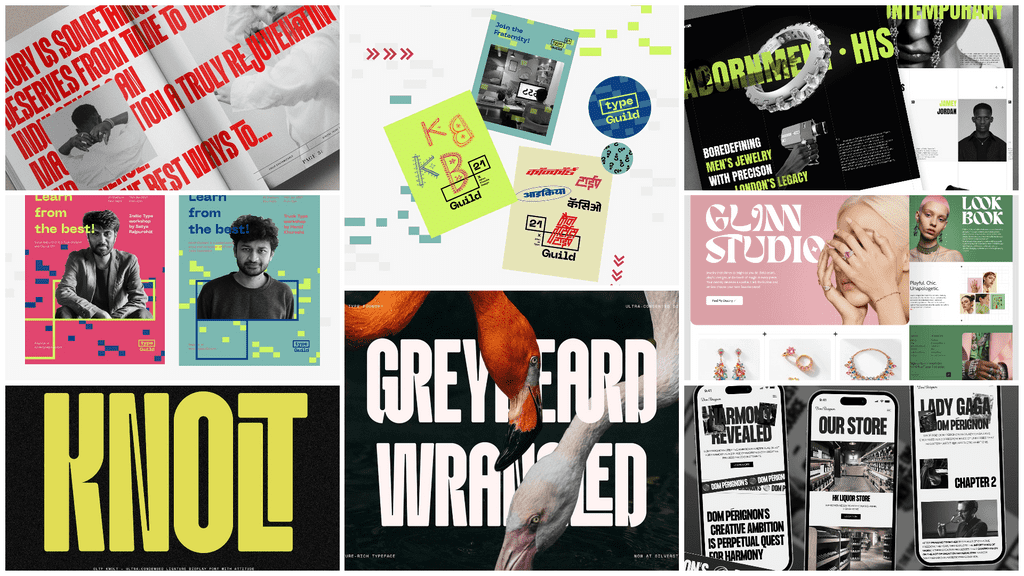
Typography in 2026 is alive. It has a pulse. Imagine text that doesn’t just sit on the screen, but responds to screen size, to the motion of your scroll, to the context of the interaction. It stretches, breathes, and adapts not for show, but to serve the highest goal: crystal-clear communication.
Why this matters:
- Superior accessibility: Fluid type can adapt to individual readability needs.
- Stronger emotional tone: Weight and width can shift to match the sentiment of the content.
- Masterful content prioritization: Motion and scale guide the eye with intention.
From trend to practice:
- Variable fonts become the standard, enabling true responsiveness.
- Motion-based emphasis replaces color overload, using animation to highlight meaning.
- Typography-led layouts where text is the primary architectural element.
3. High Contrast & Bold Visual Hierarchy: The Architecture of Understanding
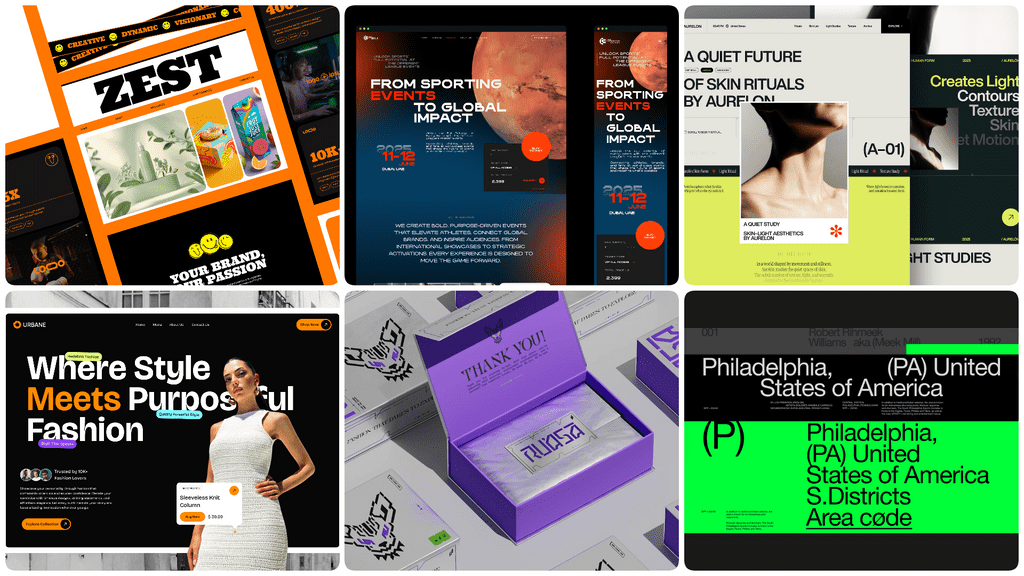
In a world saturated with information, clarity is king. In 2026, design embraces this with strong contrast, confident, generous spacing, and intentional, unmistakable hierarchy. This isn’t about being loud; it’s about being relentlessly clear. It’s the visual equivalent of a well-structured argument.
Key outcomes:
- Faster task completion: Users find what they need without hunting.
- Reduced cognitive load: The brain doesn’t have to work to parse the layout.
- Improved accessibility scores: High contrast is a cornerstone of inclusive design.
Outdated in 2026:
- Low-contrast minimalism that sacrifices legibility for style.
- Hidden actions and unclear affordances that turn interaction into a puzzle.
4. Voice & Conversational UI: The Interface That Listens
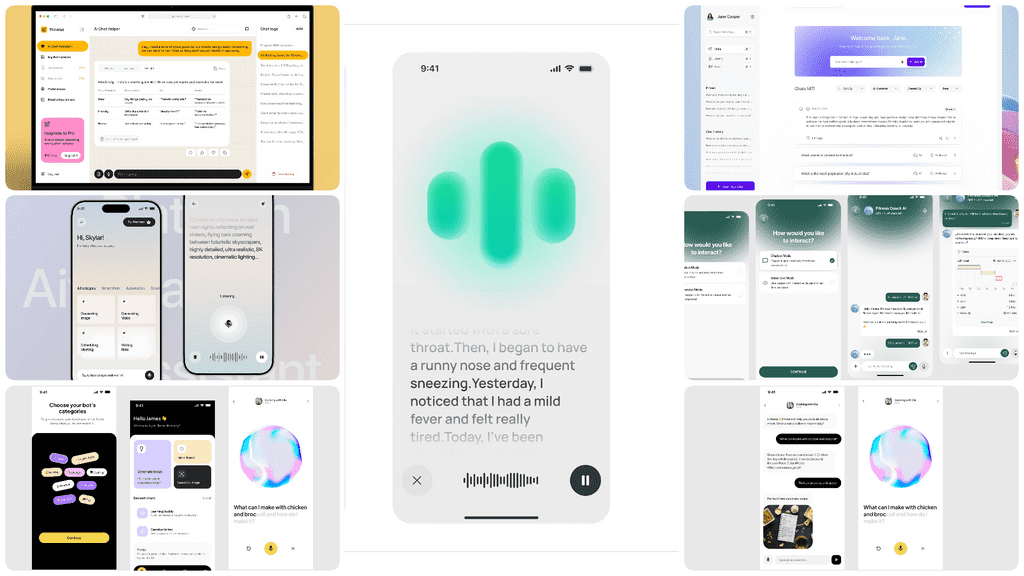
Interfaces are learning to talk and more importantly, to listen. But the story of Conversational UI in 2026 isn't about replacing screens with chat bubbles. It's about creating a natural, contextual, and optional layer of interaction. It complements visual UI, offering an alternative path, especially when hands or eyes are busy.
Use cases:
- Hands-free interactions in kitchens, cars, or for users with motor impairments.
- Accessibility-first experiences that open up digital worlds.
- Faster navigation in complex systems through natural language commands.
Design responsibility:
- Clear intent: The system’s capabilities and limits are understood.
- Predictable responses: Consistency builds trust in the conversation.
- Respect for user privacy: Voice data is handled with utmost transparency and care.
5. Immersive 3D & AR Interfaces: Practical Magic
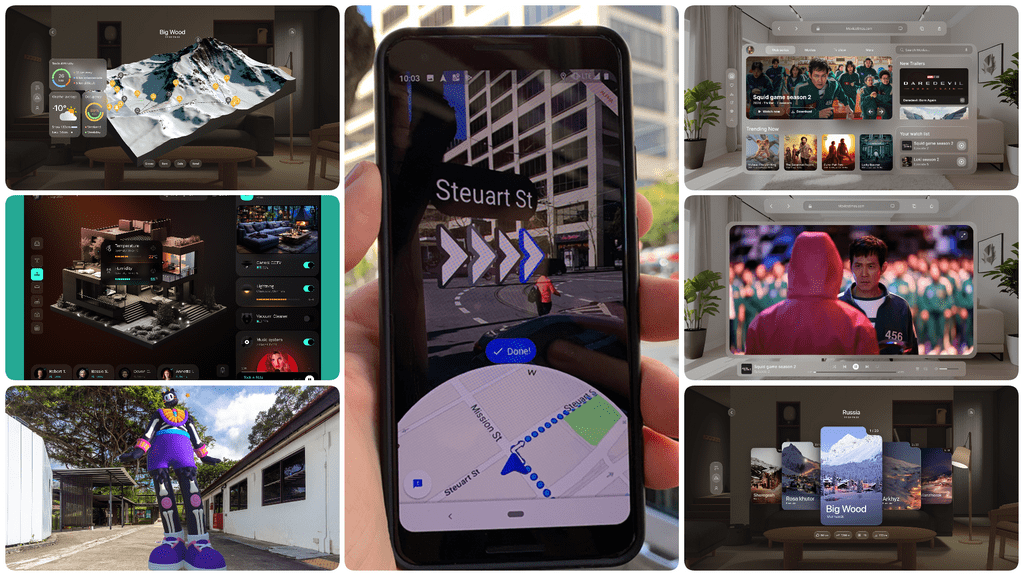
Immersion is shedding its "gimmick" skin and becoming practical. The 2026 narrative for 3D and AR isn't about flashy visuals for their own sake. It’s about purpose-driven spatial design using depth and dimension to help users understand complex data, explore products in their own space, or navigate the real world.
Where it works best:
- Product visualization: Seeing how a sofa fits in your living room before you buy.
- Education and learning: Dissecting a virtual heart to understand anatomy.
- Navigation and wayfinding: Arrows painted on the real world through your phone.
The central design tension: Immersion vs. usability. No matter how cool the effect, clarity must always win. The user’s goal is never "to be immersed"; it's to learn, decide, or act. The immersion serves that goal.
6. Micro-Interactions with Functional Feedback: The Language of Reassurance
Micro-interactions in 2026 have graduated from decoration to communication. They are subtle, meaningful, and deeply informative. They are the product’s way of whispering, "I got that," "I’m working on it," or "This way." They confirm, guide, and reassure without ever stealing the spotlight.
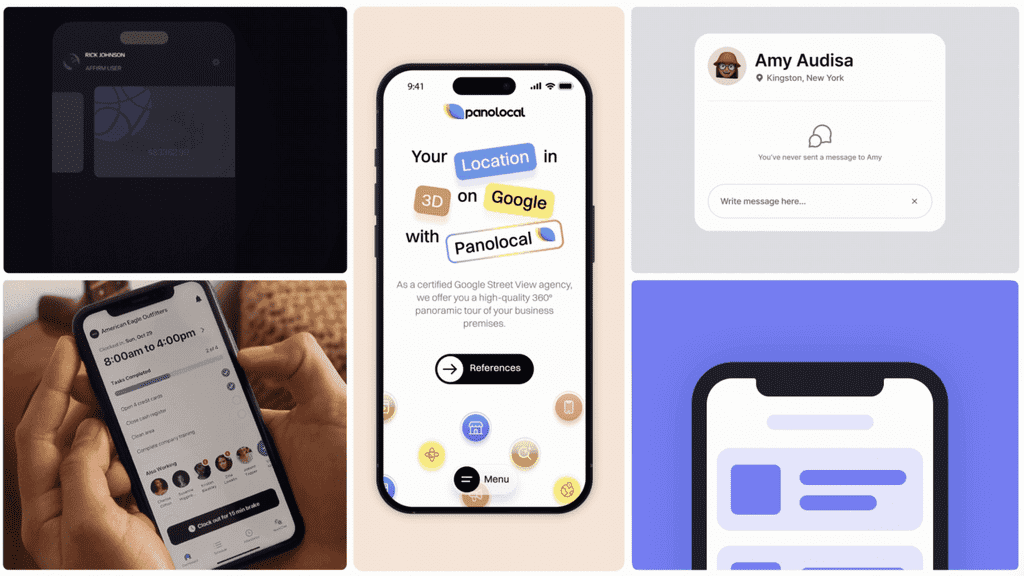
for more info in micro-interaction check the link here: https://drive.google.com/file/d/1CmHlQxfOoIJiAcJEwuP04a_VblYjyIGa/view?usp=sharing
Good micro-interactions:
- Explain what just happened (a gentle pull confirming a refresh).
- Show what’s coming next (a button that morphs into a progress indicator).
- Reduce user anxiety by making system states visible and understandable.
Bad micro-interactions:
- Decorative animations that serve no functional purpose.
- Motion without meaning that distracts and slows the user down.
7. Dark Mode & Adaptive Themes: Design That Cares for Your Eyes (and Battery)
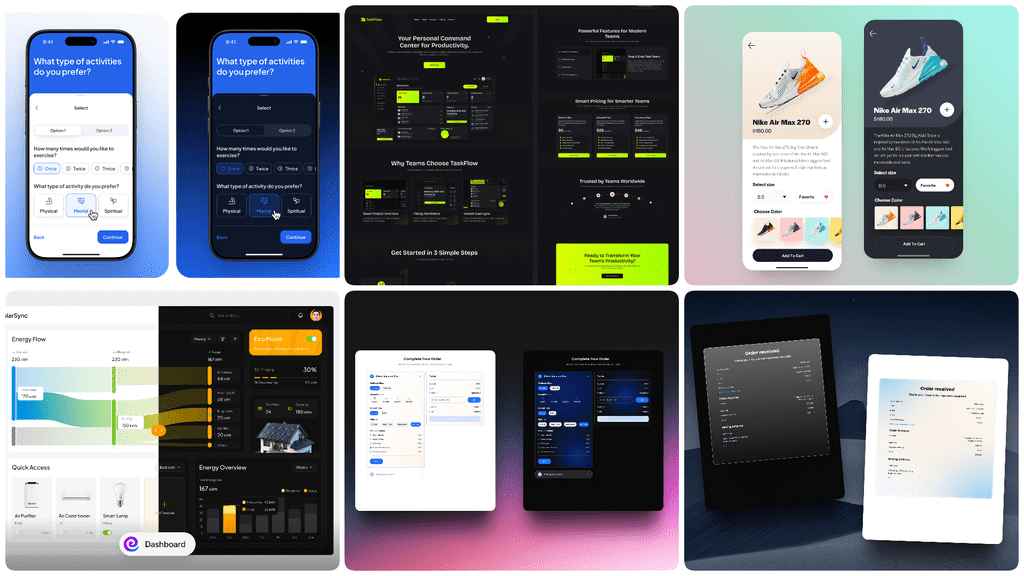
Dark mode is no longer a feature it’s a baseline expectation. But in 2026, the story evolves. Themes become adaptive and empathetic. They respond not just to a user’s toggle switch, but to their context: the time of day, the ambient lighting in the room, even user-defined preferences for focus or relaxation.
Design focus:
- True contrast, not just inverted colors, ensuring readability in all modes.
- Readability across conditions, from bright sunlight to a dark bedroom.
- Energy efficiency, particularly for OLED screens, where dark themes are a tangible benefit.
8. Minimalist & Functional Design: The Art of Strategic Subtraction
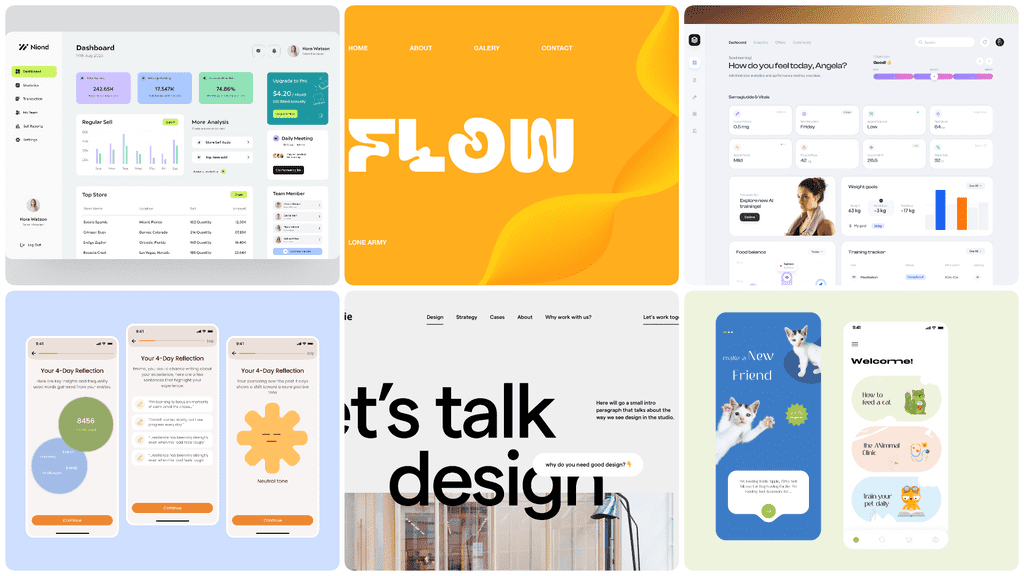
Minimalism in 2026 is not about aesthetic austerity. It’s about strategic priority. It’s the rigorous process by which every pixel, every element, earns its place on the screen. Every screen has a single, clear purpose, and the design ruthlessly eliminates anything that doesn’t serve it.
Why it works:
- Faster comprehension: Users grasp the purpose instantly.
- Lower bounce rates: Reduced confusion leads to deeper engagement.
- Higher trust perception: Clarity and confidence breed credibility.
9. Bold & Bright Colors with Purpose: The Psychology of Hue
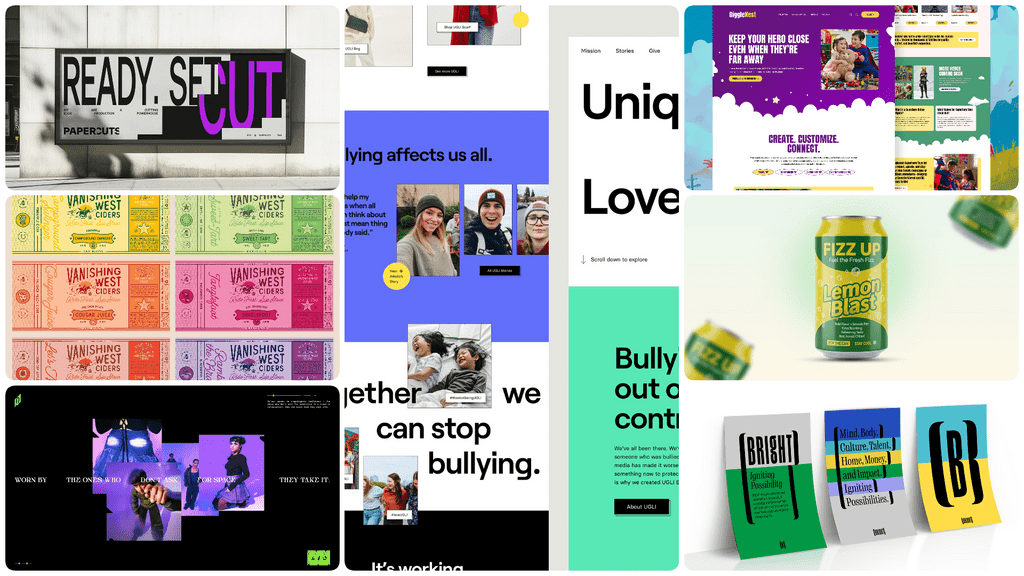
Color is making a bold comeback but with profound intent. In 2026, vibrant palettes are strategic tools. They guide attention with surgical precision, reinforce brand identity with emotional resonance, and, crucially, improve accessibility when paired with thoughtful contrast.
Best practices:
- High contrast for readability is non-negotiable.
- Color as information, not just decoration (e.g., status, category).
- Consistent emotional tone that aligns with the product’s experience.
10. Glass Effect (Glassmorphism, Blur, Frosted, Liquid): The Aesthetics of Depth and Focus
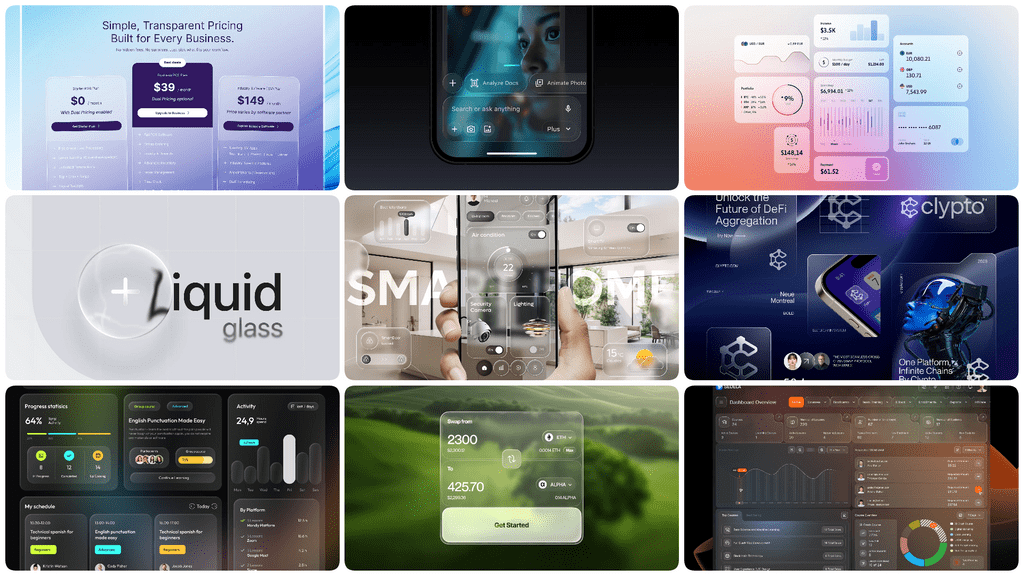
In 2026, the glass effect evolves beyond a stylistic choice into a functional tool for creating spatial hierarchy and focus. By using background blur, transparency, and subtle borders, designers can create layered interfaces that feel lightweight, modern, and context-aware. This technique helps important content—like modal windows, cards, or control panels—float above the background, establishing clear visual priority without heavy, opaque containers.
What this trend is really for:
- Creating visual depth and hierarchy in a flat digital space.
- Maintaining context by allowing underlying content to subtly show through, reducing disorientation.
- Enhancing aesthetic sophistication with a soft, modern look that feels premium and calm.
How it’s used in practice:
- Floating navigation panels or toolbars that blend with the content beneath.
- Notification cards and modal dialogs that demand attention without fully obscuring the workflow.
- Data dashboards where key metrics are presented on translucent layers over charts or backgrounds.
Critical considerations for 2026:
- Accessibility first: Transparency and blur must be carefully balanced with text contrast and color to ensure legibility for all users.
- Performance-aware: Heavy use of real-time blur effects can impact rendering performance, especially on lower-powered devices. Implementation must be optimized.
- Purpose over decoration: The effect should be applied to elements that benefit from a sense of elevation and separation, not used indiscriminately.
Accessibility Is Not a Trend — It’s the Baseline of Quality
Let me be unequivocal: In 2026, accessibility defines quality. Inclusive design is the price of entry. It means:
- Clear typography that can be read by everyone.
- Motion control options for those with vestibular disorders.
- Full keyboard and screen-reader support as a fundamental part of the architecture.
Accessibility is no longer an add-on or a post-launch checklist. It is the very foundation upon which good UX is built.
The Design Tensions of 2026: Living in the Balance
This is the daily reality for the 2026 designer: navigating the tension between powerful opposites.
- Automation vs. Control (How much should AI do, and how much should the user direct?)
- Expression vs. Clarity (When does beautiful form interfere with critical function?)
- Immersion vs. Usability (Does this 3D experience help or hinder the task?)
- Speed vs. Transparency (Can we make it fast and explain how it works?)
Great design doesn’t choose one side. It finds the elegant, intentional, ethical, and human-centered middle path.
A Designer’s Checklist for 2026: The Questions We Must Ask
Before you ship, pause and ask your design:
- Does this design explain itself? Or does it require a manual?
- Does it respect user attention? Is it a calm guide or a needy distraction?
- Can it adapt to different abilities and contexts? Does it work for people, not just personas?
- Does every motion add meaning? Or just movement?
- Is any embedded AI transparent and controllable? Can the user see the "why" and say "no"?
Conclusion: The Quiet Responsibility of Great Design
So, what’s the climax of our story? The future of design isn’t louder, shinier, or more complex. It’s the opposite.
In 2026, the best designs feel calm. They don’t demand your attention they support your decisions. They don’t show off their intelligence they use it to make you feel intelligent, capable, and in control.
Our role as designers is undergoing a fundamental shift. We are no longer just creators of interfaces. We are stewards. Stewards of human attention, of trust, of experience. We are building the digital environments where people will live, work, and connect.
And that—that profound responsibility will define the next generation of what it means to design not just beautifully, but wisely. That is the story of design in 2026. Thank you.